

Dashboard
The main dashboard displays your DevKit connection and power status, providing quick access to essential device controls. Quick Access- Connect & Disconnect — connect or disconnect your DevKit from the app
- Restart DevKit — restarts the DevKit
- Update API Key — change the API key linked to your DevKit or set a different account’s API key to switch accounts
- Factory Reset — erase all settings and restore the DevKit to its original state
- Sync Abilities — If you are working and developing Local Abilities, click the
 button to Sync Abilities with the devkit. For more details, see Syncing Local Abilities with the DevKit.
- Auto Interrupt — toggle to allow to interrupt the Agent while it is speaking
- Interactive Interrupt — when enabled, the Agent slows down and listens while you are speaking
- Microphone Sensitivity — adjust the slider to control how sensitive the microphone is to sound
- Interrupt Sensitivity — adjust the slider to control how easily the Agent detects interruptions
- Volume — adjust the speaker volume using the slider

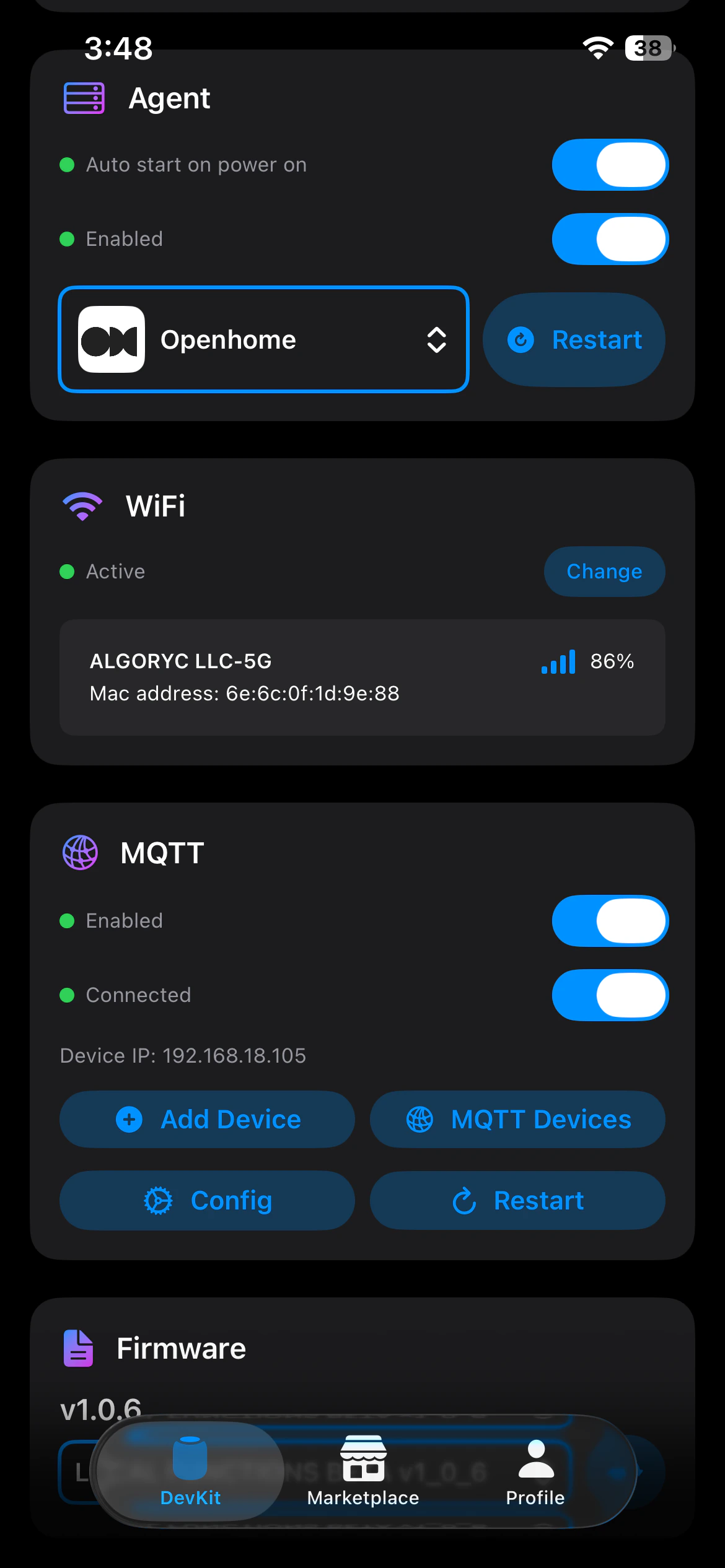
- Auto Start On Power On — toggle to enable the Agent to start automatically when the DevKit powers on
- Agent Toggle — enable or disable the Agent with a single toggle
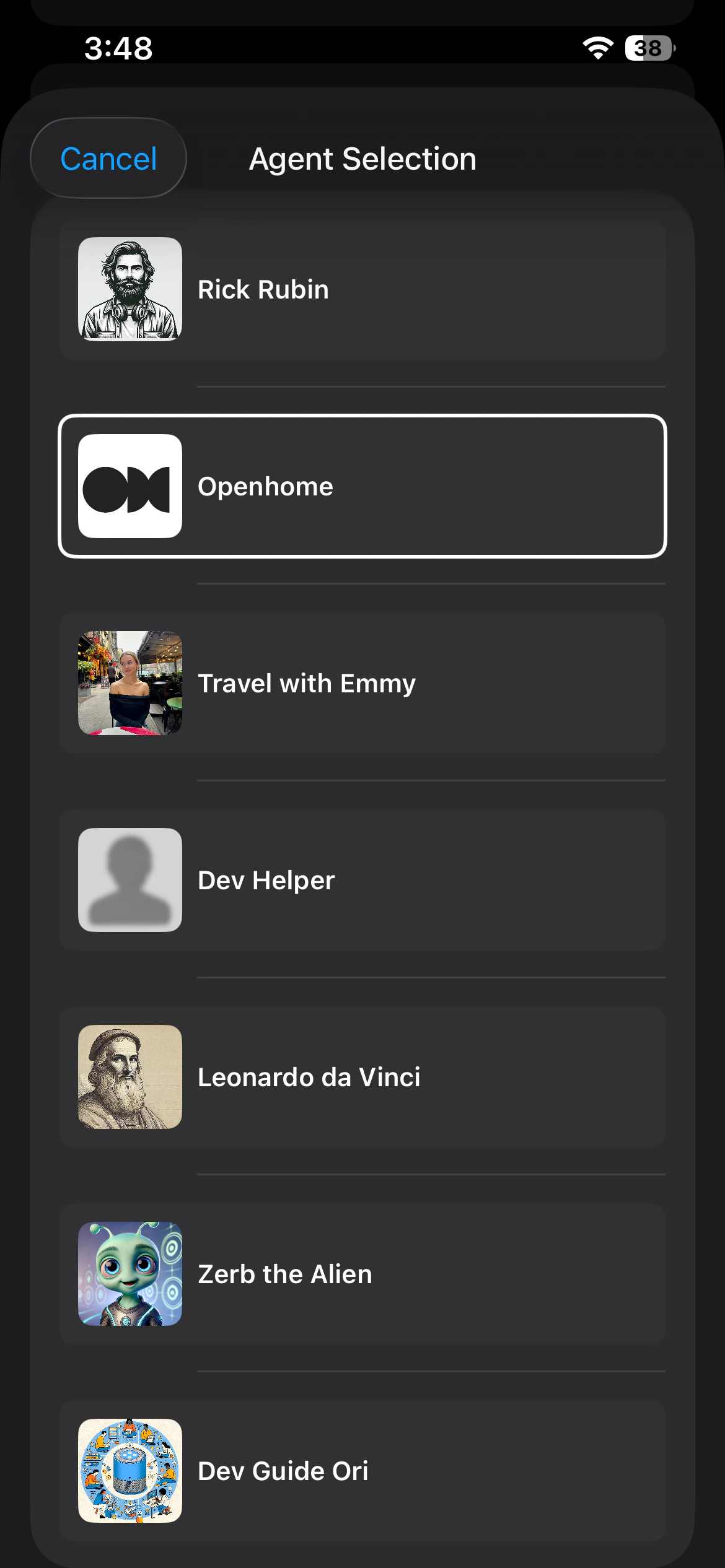
- Select Agent — choose which Agent runs on your DevKit from the available options
- Restart Agent — restarts the Agent
Wi-Fi Settings
The Wi-Fi section displays the network your DevKit is currently connected to. Use the change button to disconnect and connect to a different Wi-Fi network.MQTT
The MQTT section provides access to MQTT device configurations:- View MQTT Configurations — see all current MQTT settings
- Add MQTT Devices — add new MQTT devices for integration
- Manage MQTT Devices — view and manage connected MQTT devices
- Restart MQTT Client — restart the MQTT client to apply changes or resolve connectivity issues
Firmware
The Firmware section displays your current firmware version and provides options to update or switch firmware versions using the firmware selector dropdown.


Device Usage
Monitor your DevKit’s system resources:- CPU Usage — view current processor utilization
- Disk Usage — check available and used storage
- RAM Usage — monitor memory consumption
Marketplace
The Marketplace is your hub for discovering and installing new Agents and Abilities for your DevKit. Browse featured Agents and Abilities, search for specific functionality, and expand what your DevKit can do with new features and personalities.

Agents
Browse and install different Agent personalities for your DevKit. Each Agent has a unique personality that determines how it responds and interacts with users. You can:- Browse by Category — explore Agents organized by type and use case
- Search for Agents — find specific Agents by name or keyword
- View Agent Details — see descriptions, abilities, and reviews
- Install & Switch — install new Agents or switch between installed ones at any time


Abilities
Discover and manage Abilities — the individual skills and features that extend your Agent’s capabilities. You can:- Browse Available Abilities — explore featured and new Abilities in the marketplace
- Search for Abilities — find specific Abilities by name or functionality
- View Details — see descriptions and learn what each Ability does
- Manage Installed Abilities — enable, disable, or uninstall Abilities on your DevKit


Profile & Settings
The Profile & Settings section provides access to your account, device configuration, and app preferences. Manage your personal information, configure your Agent’s behavior, and adjust how the OpenHome app works for you.


Personalization
Profile Edit your account information:- Name — update your full name
- Username — change your username
- Bio — add or edit your profile bio
- View Installed Agents — see all Agent personalities on your DevKit
- View Details — check Agent descriptions and information
- Uninstall Agents — remove agents you no longer use


- View Installed Abilities — browse all Abilities on your DevKit
- Add Trigger Words — customize voice commands to trigger Abilities
- Remove Trigger Words — delete custom voice commands
- Uninstall Abilities — remove Abilities from your DevKit


Configurations
Configure how your Agent processes speech and generates responses:- STT Model — select the Speech-to-Text model for voice input
- STT Platform — choose the Speech-to-Text provider (e.g., Assembly)
- TTT Model — select the language model for text processing (e.g., GPT-4)
- TTT Platform — choose the text processing provider (e.g., OpenAI)
- TTS Model — select the Text-to-Speech voice model (e.g., eleven_turbo_v2)
- TTS Platform — choose the Text-to-Speech provider (e.g., ElevenLabs)
- Play Filler Audios — toggle filler sounds while the Agent processes speech
- Auto Sleep — enable automatic sleep mode after inactivity
- Auto Sleep Timeout — set seconds of silence before sleep mode activates
- FuzzyWuzzy Threshold — adjust text-matching sensitivity (higher = stricter)
- OpenAI TTT Temperature — control response randomness (0 = focused, 1 = creative)
- OpenAI TTT Frequency Penalty — reduce word repetition in responses
- OpenAI TTT Presence Penalty — keep responses on-topic and relevant
- Voice Similarity Boost — adjust how closely the voice matches its intended sound
- Voice Stability — control voice consistency (higher = more consistent)
App
Appearance- System — match your device’s system theme
- Dark — use dark mode
- Light — use light mode
- Help & Support — access help resources and contact support
- About — view app version and information
- Sign Out — log out of your OpenHome account
- Delete Account — permanently delete your account and data
Looking for More Control?
OpenHome also offers a comprehensive Web Dashboard where you can build Agents, create Abilities, manage your account, and access advanced features beyond what’s available in the OpenHome - Voice AI DevKit App.See also
- Web Dashboard — manage your Agents, Abilities, and account from the web
- Agents — learn how voice Agents work on the OpenHome DevKit
- Abilities — extend your Agent with custom Python-based skills
- Local Ability — build Abilities that run directly on the OpenHome DevKit hardware